Case Study
Localization and UI Copy Review
This sample demonstrates how I review English UI copy for clarity, consistency, and usability, especially for products preparing for international users.
Why UI English matters
When a product expands internationally, UI copy quality affects trust immediately. Even when the meaning is technically understandable, unnatural English can make a product feel less polished, harder to use, and less credible.
What reviewers can see immediately
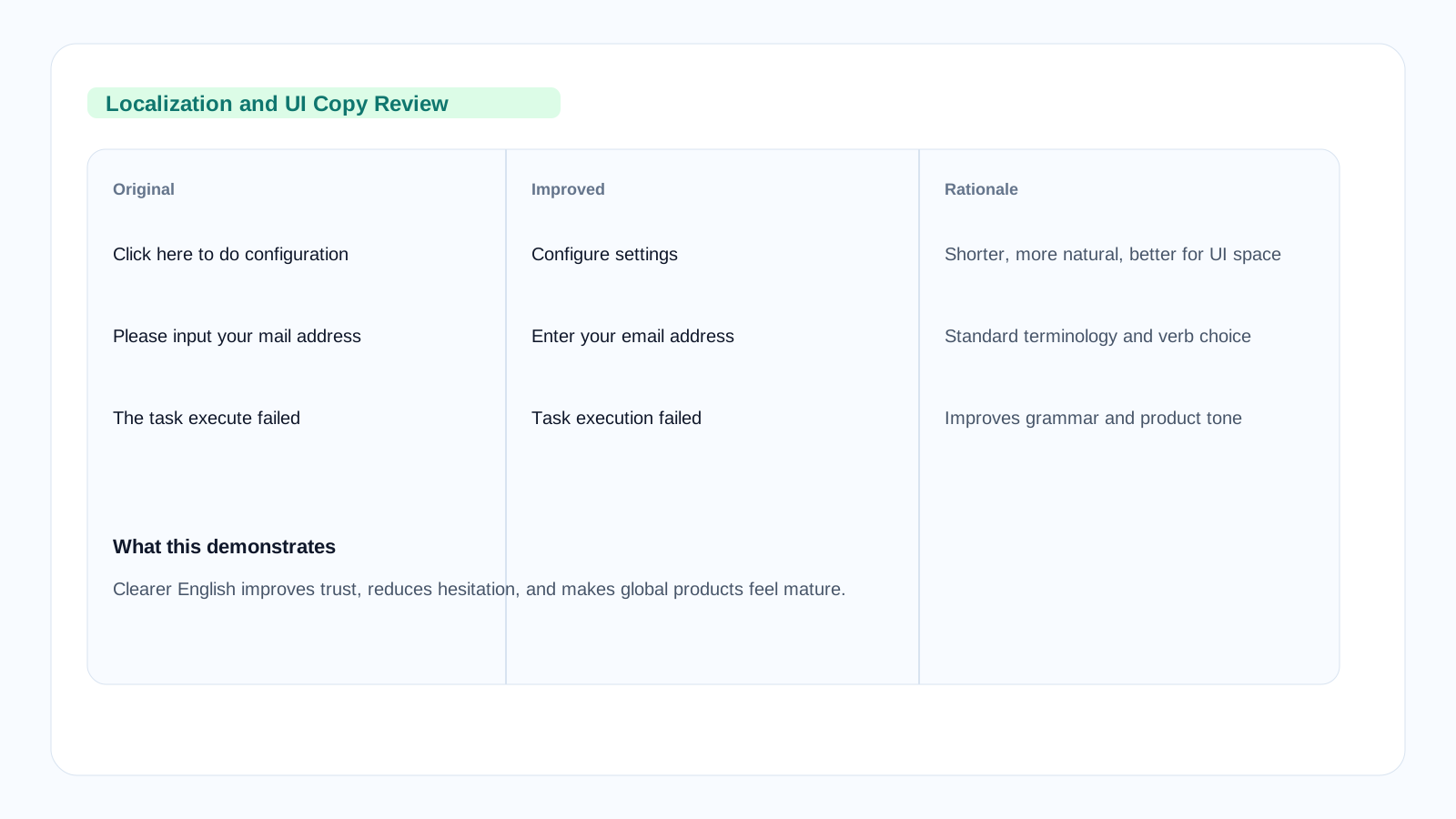
The screenshot-style preview highlights representative before-and-after revisions and the reason behind each change. That makes the sample feel closer to real localization review work than a decorative cover image.
What I focused on
In this type of work, I review interface strings, align terminology, improve grammar and tone, and make sure UI text supports the user journey instead of adding friction.
Localization quality is not just translation accuracy. It is product experience quality at the sentence level.
Language goals
- Prefer clear action verbs
- Reduce ambiguity and grammar issues
- Keep labels concise and consistent
Product goals
- Match enterprise software tone
- Support user confidence
- Improve consistency across UI and docs
Representative examples
| Original | Improved | Why |
|---|---|---|
| Click here to do configuration | Configure settings | Shorter, clearer, and more natural in UI space. |
| Data refresh success | Data refreshed successfully | Uses standard status-message phrasing. |
| Please input your mail address | Enter your email address | More natural verb choice and standard terminology. |
| The task execute failed | Task execution failed | Improves grammar and aligns with technical product tone. |
More comprehensive UI improvements
Example 1: Button labels and confirmation dialogs
| Component | Original | Improved |
|---|---|---|
| Primary action | Submit the thing | Save changes |
| Dangerous action | Delete it now | Delete project |
| Confirmation title | Are you sure? | Delete project "Marketing Dashboard"? |
| Confirmation body | This cannot be undone. Think again. | This action cannot be undone. All associated data will be permanently deleted. |
Example 2: Error messages that help users recover
| Original | Improved |
|---|---|
| Something went wrong | We encountered an unexpected error. Please try again or contact support if the problem persists. |
| Wrong format | Please enter a valid email address (e.g., name@example.com) |
| Too big file | File size exceeds 50MB limit. Please compress the file or choose a smaller one. |
| Permission denied | You don't have permission to edit this resource. Contact your workspace admin to request access. |
Example 3: Empty states and onboarding
| Section | Original | Improved |
|---|---|---|
| Empty dashboard | No projects yet | No projects yet. Create your first project to get started. |
| Empty list | Nothing here | No team members added yet. Invite your team to collaborate. |
| Welcome tooltip | Hi! Welcome to our app! | Welcome! Here are three ways to get started with your workspace. |
Consistent language across the product
Sample terminology entry
Term: Workspace
Definition: The top-level container for projects, team members, and billing
Usage rules:
- Always capitalize when referring to the product feature: "Your Workspace"
- Never abbreviate
- Use consistently across UI, docs, and marketing
Never use: Account, Organization, Team (unless specifically referring to people)
Terminology consistency table
| Use this | Not this | Because |
|---|---|---|
| Sign in | Log in, Login | More natural for enterprise products; aligns with industry standards |
| Delete | Remove, Erase | Consistent terminology for irreversible actions |
| Settings | Preferences, Options, Configuration | Standard term for product customization |
| Save | Submit, Apply, Confirm | Familiar action with clear user expectation |
What I verify in UI English reviews
Grammar & Clarity
- Consistent verb tense and mood
- Proper article usage (a/an/the)
- Parallel structure in lists
- Clear subject-verb agreement
Tone & Voice
- Helpful, not punitive
- Confident, not arrogant
- Clear, not ambiguous
- Consistent with brand guidelines
International Readiness
- Avoid idioms and cultural references
- Use simple sentence structures
- Keep strings short where possible
- Allow for text expansion in translation
Accessibility
- Clear alt text for images
- Descriptive link text
- Meaningful error states
- Screen-reader friendly phrasing